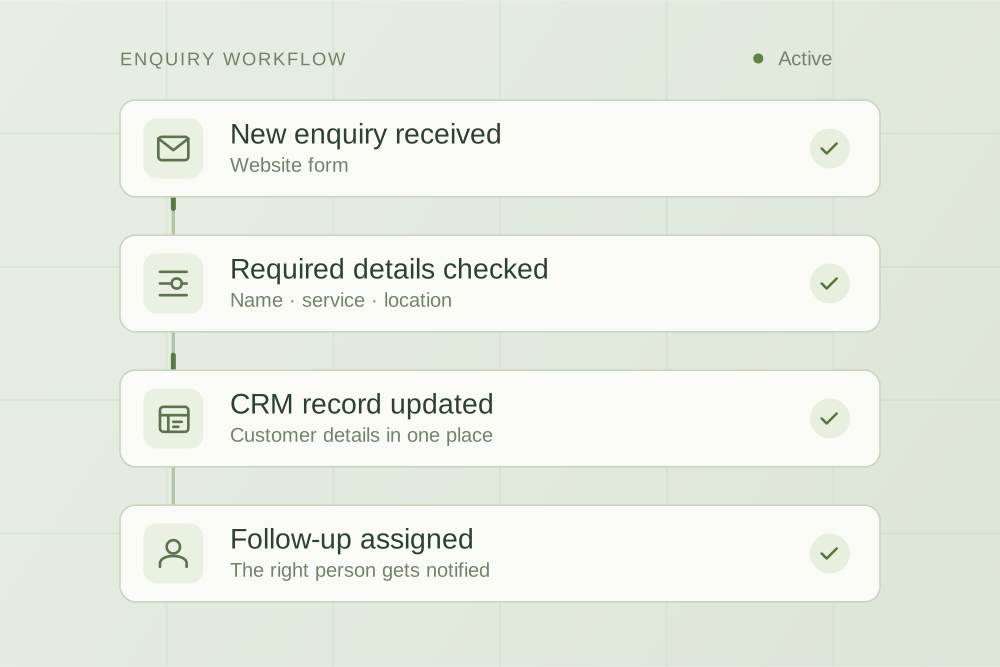
Make order enquiries easier to resolve. Check native tools first, then connect the gaps between your store, fulfilment and support team.
Start with the repeated question
For an ecommerce store handling repeated “where is my order?” enquiries, check order tracking, notifications and existing support features first. Consider custom automation when staff still have to piece together information from several systems. AI can help classify messages and prepare replies, but an order update should come from the actual order record, not a guess.
A customer asks about a delivery. Your team searches the store admin, checks tracking, looks for an earlier email and writes a reply. If tracking is stale or the order has split shipments, the question needs more than a standard message.
For Australian store owners, the first decision is often what their existing software can already do. We use Shopify as the example here, then walk through a possible support workflow. It is a planning example, rather than a client case study.
Find out why customers are contacting you
Start with a sample of recent support conversations, including both ordinary days and busy periods. Separate customers who cannot find tracking from orders with a real delivery exception. Also distinguish general shipping questions from requests that need access to a specific order.
| Customer's problem | First thing to check | Possible next step |
|---|---|---|
| Cannot find an order update | Confirmation emails, tracking links and account access | Make the existing self-service route easier to use |
| Asks a general shipping question | Published shipping information and saved answers | Provide a clear answer from the current store policy |
| Tracking has stopped changing | Latest fulfilment and carrier information | Assign an investigation with the relevant context |
| One item arrived and another did not | Individual fulfilments and items in the order | Explain the supported status of each shipment or escalate |
| Wants a refund, cancellation or address change | The request, order state and the store's authorised process | Route to the appropriate decision maker before any change |
If orders are regularly late, improving the support reply will not fix the fulfilment problem. Measure the underlying exception as well as the time spent answering it.
What can Shopify already handle?
Shopify's order-status documentation explains how confirmation and shipping emails link to an order-status page. Check customised templates, tracking details and the customer journey before commissioning a separate status tool.
Shopify Inbox supports instant answers and a Track my order option. The behaviour depends on whether the Inbox agent is active. Review the features available in your store and test what a customer actually sees, including when they need to sign in.
The available options depend on your store’s settings, apps and permissions. Check them in your own account. A clearer tracking link or a corrected answer may remove the problem without a custom build.
When does custom automation make sense?
Investigate a custom connection when the support team must repeatedly combine information from the store, warehouse, carrier or help desk, and an existing supported integration cannot cover the handover. The aim is to give the person handling the enquiry the information they need, without making them search several tools.
For example, a support ticket could bring together the customer’s question, verified order details, the status of each shipment and what the team has already tried. An assistant could prepare a reply for review. Whether that is feasible depends on access to each system and the quality of its records.
Start with order enquiries for one store and one support channel, and give staff a clear way to take over difficult cases. Avoid combining support, refunds, marketing and stock changes into the first pilot.
A proposed order-support handover
- Identify the requestSeparate a general policy question from a request involving a particular order. Keep the customer's original message.
- Verify access to the orderUse the store's approved identity and access checks. Do not reveal order details merely because someone supplies an order number.
- Read the relevant recordsRead the order and shipment information the team is allowed to access. Show where it came from, when it was updated and anything missing or contradictory.
- Prepare the next actionPrepare a reply from the order facts. Give delays, unclear records and requested order changes to a named team member.
- Record and follow throughKeep the response and assigned action with the case. Check current state before any later reminder or update.
AI may recognise the type of question or summarise a conversation. It should not invent a dispatch date, promise a delivery time that the source does not support, or approve compensation. Agree separately which routine messages may be sent automatically and which require review.
What happens when an order is complicated?
| Test case | Expected behaviour |
|---|---|
| A person requests another customer's order | No private order information is disclosed; the approved verification path is used |
| An order contains two shipments | The reply distinguishes the shipments and does not call the whole order delivered |
| Carrier data is stale or unavailable | The case shows the gap and reaches a person without an invented update |
| The same message is received twice | The case is not duplicated and the customer is not sent duplicate replies |
| The customer asks to cancel | The request follows the authorised cancellation process; a status reply does not silently change the order |
| A team member responds while a draft is waiting | The system checks the latest conversation before releasing another message |
Use test records before connecting live customer information. Confirm who can pause the workflow and how the team continues when an integration fails.
How should you measure the result?
Record order-status enquiries per 100 orders, total handling and review time, repeat contacts about the same issue, corrections and cases that still need investigation. Compare similar periods and note delivery incidents or sales peaks that change the workload.
A conversation marked closed is not necessarily a resolved problem. Check whether the customer received a useful answer and whether the promised follow-up happened. Count the cost of software, monitoring and exception handling alongside any time released.
The AI implementation cost guide helps separate setup costs, running costs and capacity value. Do not assume that fewer support minutes automatically mean lower payroll or more sales.
What should you bring to an implementation discussion?
List the store platform, fulfilment tools, help desk, approximate enquiry volume and where staff have to copy or check information. Bring a few examples with customer details removed: one straightforward order question and one that took extra work. Describe the decision you want to improve before selecting an AI product.
AppliedAgents builds workflow automations, integrations and custom software around business bottlenecks. We can assess whether existing settings, a supported integration or a scoped custom build is a useful next step for your store. Use our supplier comparison questions when reviewing a proposal.
Shopify product guidance checked on 7 October 2026. Features and account requirements can change; confirm them against the linked documentation and your store.

Practical thinking on AI, automation and the work behind a business.