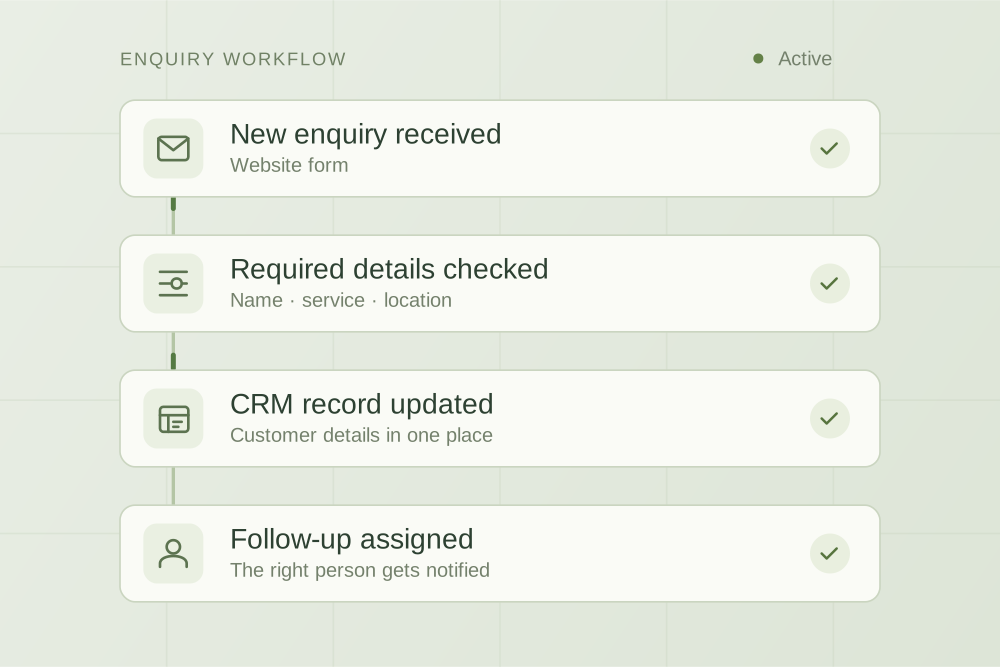
A contact form can look fine and still lose enquiries quietly. Here is a test you can run yourself, a template for recording what happens, and where enquiries usually go missing.
The short answer
Send yourself four or five test enquiries through your own website, each designed to catch a different failure, and follow every one to the end: did the notification arrive, in the inbox or in spam, did a record appear in your CRM or job system, did the “customer” get an acknowledgement, and did a person reply? Write down the times. Most problems show up in the first round, and most fixes are a settings change rather than a new system.
A contact form can look perfectly healthy from the outside and still lose enquiries quietly. The page loads, the visitor sees “Thanks, we’ll be in touch”, and nothing tells you that the notification went to a spam folder or to someone who left last year. The only reliable way to know is to test the whole path yourself.
The path an enquiry has to travel
From the moment someone presses “Send”, an enquiry usually passes through five steps. Each one can fail without anyone noticing.
- The form sends a notificationAn email, usually sent by your website or a form service on your behalf.
- A mailbox accepts itInto the inbox, into spam, or not at all.
- A record is createdIn your CRM, job system or spreadsheet, if the form is connected to one.
- The customer is acknowledgedAn automatic “we’ve got it” message, if you send one.
- A person repliesSomeone owns the enquiry and responds.
The test below checks all five. It does not need technical knowledge; it needs a phone, a personal email address, a note of the time and about fifteen minutes spread over a day.
Run the test
Tell your team first so nobody calls a fake customer. Use a recognisable name such as “TEST – please ignore” and write down the exact time you submit each one.
- A normal enquiry from a computer, using a personal Gmail or Outlook address, the way most customers would.
- The same from a phone on mobile data, not your office wi-fi. Forms sometimes behave differently on small screens, especially required fields and date pickers.
- An enquiry with a web link and a phone number in the message. Real customers paste links to photos or listings, and some filters treat links with suspicion.
- One submitted outside business hours, for example on a Saturday afternoon or late in the evening. This tests what happens when nobody is watching.
- A long enquiry that uses every optional field. This catches messages that are truncated, fields that never reach the notification and attachments that fail.
Then follow each one. Check the inbox that should receive it, that mailbox’s spam or junk folder, your CRM or job system, and the personal mailbox you sent it from. Note when someone on the team actually replied, without prompting them.
Record what happened
Copy this table into a spreadsheet. One row per test.
| Test | Submitted at | Notification: where and when | Record created? | Acknowledgement received? | Who replied, and when | Problem found |
|---|---|---|---|---|---|---|
| 1. Desktop, Gmail | Date and time | Inbox / spam / nowhere, plus time | Yes / no / partial | Yes / no, plus time | Name and time, or nobody | One line |
A fictional example
Saltbush Electrical is a fictional electrical contractor invented for this article. Here is what its first round of tests might look like.
| Test | Notification | Record created? | Acknowledgement | Reply | Problem found |
|---|---|---|---|---|---|
| 1. Desktop, Gmail | Spam folder of the shared inbox | Yes | Yes, immediately | Next day, after the test was pointed out | Notifications are being filtered as spam |
| 2. Phone, mobile data | Inbox, 2 minutes | No | Yes | Same afternoon | The job-system connection skipped this enquiry; nobody would have known |
| 3. Link and phone number | Inbox, 1 minute | Yes | Yes | Same afternoon | None |
| 4. Saturday 4 pm | Inbox, 1 minute | Yes | Yes | Monday, about 40 hours later | No one owns weekend enquiries |
| 5. Long, every field | A former employee’s address | Yes | Yes | Never | One form still sends to an old staff address |
Notice that the customer would have received an acknowledgement every time. From the outside, the form worked. The problems were all on the business’s side, which is exactly why they go unnoticed.
Where enquiries usually go missing, and what to check
The notification goes to the wrong place
Forms are often set up once and forgotten. The notification address may belong to someone who has left, a mailbox nobody checks, or one person’s inbox when it should be shared. Check every form on the site; a quote form and a contact form can have different settings. Ask whoever manages the website to show you where each one sends.
The notification lands in spam
Mailbox providers decide whether a message is genuine partly by checking whether the sending server is authorised to send for the domain in the “From” address. Google’s email sender guidelines require everyone sending to Gmail accounts to authenticate with SPF or DKIM, and say messages that are not authenticated might be marked as spam or rejected. Microsoft and other providers apply their own filtering.
Two terms, in plain words. SPF is a public record on your domain listing the services allowed to send email as you. DKIM adds a digital signature that proves a message really came from your domain. If your website or form service sends notifications but is not included in those records, Google says its messages are more likely to be marked as spam.
What to ask for: whoever manages your domain and email should confirm that your website or form service is authorised in your SPF record, and set up DKIM for it where the service supports it. Google also recommends setting up DMARC, a third record that tells receiving servers what to do with messages that fail those checks.
The form pretends to be the customer
Some forms send the notification “from” the customer’s own email address, so that you can press Reply. It is convenient, but it works against you. Google’s guidelines say that to pass DMARC, the authenticating domain “must be the same domain that appears in the message From: header”. Your web server cannot authenticate as gmail.com or someone else’s company, so these notifications are more likely to be treated as suspicious.
The usual fix is to send notifications from an address on your own domain, such as forms@yourbusiness.com.au, and put the customer’s address in the Reply-To field so replying still goes to them. Ask your web developer whether your form supports this.
The connection to your CRM or job system fails quietly
If enquiries flow into a CRM, job system or spreadsheet, the connection can fail for a single enquiry (an unexpected field, a timeout, an expired login) while everything else keeps working. Unless something alerts you, the email notification may be the only copy. Test 2 in the example is this failure. Ask whoever set up the connection how a failed transfer is reported, and to whom.
Nobody owns the enquiry
A shared inbox that “everyone checks” is often an inbox nobody is responsible for, especially after hours. Decide who owns new enquiries on each day, including weekends if you take weekend work, and what the customer is told about response times. An automatic acknowledgement helps, but it is a promise, not a reply.
Make it a habit
Run the same test once a month, and again after any change to the website, the form, your email provider, your CRM or your staff. Keep the results table so you can see whether a fix held.
Once enquiries are reliably arriving, the next question is what happens to them. Our guide to enquiry follow-up for trade businesses covers statuses, ownership and response rules, and most of it applies outside plumbing.
If missed phone calls are the bigger problem, our guide to AI receptionists in Australia covers costs, alternatives and a test script.
If your form, inbox and CRM need to work as one system, with an alert when any step fails, that is the kind of workflow automation AppliedAgents builds. For many businesses, though, the test above and two or three settings changes are enough.
Sources
- Google Workspace Admin Help, Email sender guidelines
This article is general information. Google’s guidance was checked on 27 October 2026; mailbox providers change their filtering over time. Saltbush Electrical and its results are fictional, created to illustrate the method.

Practical thinking on AI, automation and the work behind a business.