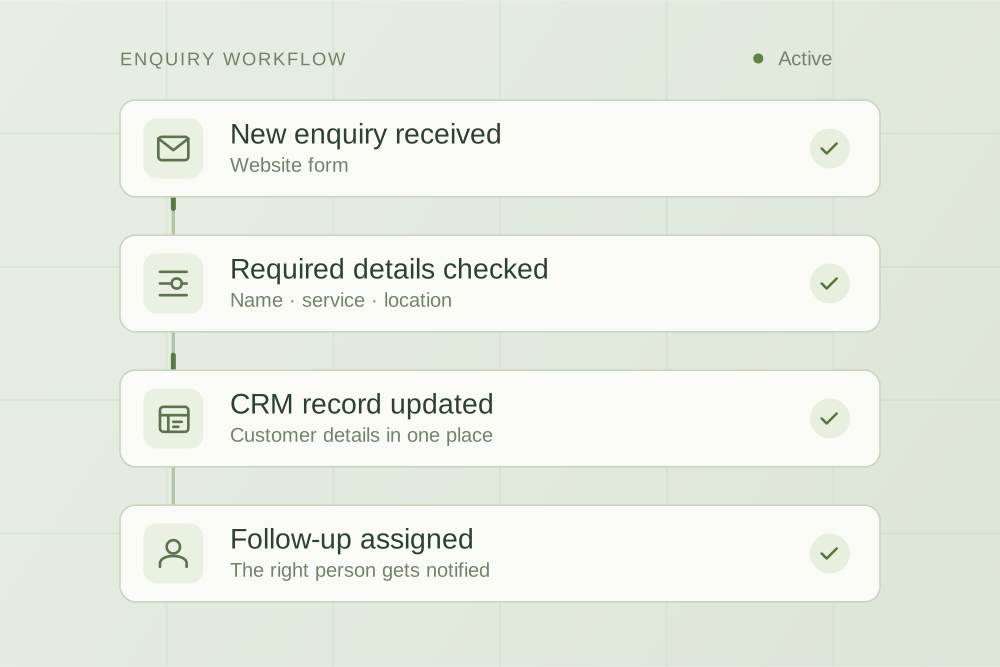
For plumbing, HVAC and other trade businesses, the first question is whether the tools you already pay for can handle the follow-up. Start there before buying another system.
The short answer
If you need straightforward quote reminders, start with ServiceM8’s own automation. Consider extra integration work only after you can name the remaining gap, such as an enquiry handover between separate systems that your current setup cannot handle.
What ServiceM8 already handles
ServiceM8’s documentation describes an Automation add-on with up to five quote follow-ups by email, SMS or both. You can choose timings and templates, and see scheduled messages in the job Diary. SMS uses credits.
Activate the add-on under Settings → ServiceM8 Add-ons, then edit Quote Follow Up under Settings → Automation. Messages go to the saved job contacts who received the quote; the contact details need to match.
Replies awaiting attention cancel scheduled follow-ups; responding or dismissing the reply resumes the automation. Quote acceptance or a change to Work Order, Completed or Unsuccessful stops follow-up. You can also cancel scheduled messages manually.
These details come from ServiceM8’s quote follow-up documentation, checked 10 September 2026. Consult the full instructions for exceptions and current behaviour. This guide is based on that documentation, not a test of your account.
Define the gap before adding another tool
“We need AI to chase quotes” combines several possible problems. The reminder might already be available, but the office might not know who owns replies. Or quote status might live in one product while a separate sales team works in another.
Write the problem as a specific event and missing action. For example: “When a customer answers an installation quote, the office has to find the original website enquiry before calling them.” Then check whether your current settings, process or a supported existing integration already cover it.
| What is happening? | First move | When to investigate custom work |
|---|---|---|
| Quotes are simply not being chased | Check the native reminder setup and who owns follow-up. | Only if a specific requirement remains after configuration. |
| People still miss customer replies | Review the office’s inbox ownership and response routine. | If the team needs an additional handover in a separate system. |
| Staff copy the same context between tools | Map what is copied and check supported integrations. | If a verified connection can remove worthwhile repeated work. |
| The team wants individually drafted replies | Try approved templates and human review first. | If enough variation remains to justify an AI-assisted draft process. |
These are decision examples, not claims that ServiceM8 lacks a particular capability. Product plans and integrations change. Check the actual account and relevant documentation before commissioning anything.
What this looks like in a trade business
A plumbing company with unanswered quotes
If the office sends a quote and forgets to follow up, the useful first step is a clear reminder process. Choose an owner for replies and decide when they should call instead of sending another message. Adding a second reminder engine before fixing that ownership can create more confusion.
An HVAC installer with enquiries in two places
Suppose installation enquiries arrive through a website while quotes and jobs sit in the trade software. If someone repeatedly copies property details and enquiry history between them, investigate that handover. The proposed improvement is carrying the correct context through, subject to supported access and a reliable way to match the records.
A roofing business with varied customer questions
Some questions need a roofer’s judgement, a site visit or a change to the scope. A draft or summary might help the office prepare, but it should not commit the team to a price, installation date or technical answer without the agreed review. More messages are not necessarily the right answer.
These are illustrative scenarios, not claims about trade clients we have delivered for. The right approach depends on your process and the features available in your own tools.
Test the whole handover, not just the first message
Before enabling changes broadly, use a private test job with contact details you control. Keep test messages away from customers. Ask your software administrator or provider to confirm the safe test procedure for your setup.
- Record the expected journey. Write down who receives each message, the timing and who owns the next action.
- Check the ordinary case. Follow a quote from sending through the planned follow-up and office response.
- Check the interruption cases. Include a reply, an accepted quote, a cancelled job and a manual stop. Confirm what the team sees in each case.
- Check contact and record mistakes. Find out how your process handles missing contact details, a duplicate record or an enquiry that cannot be matched confidently.
- Check any extra connection. If a second system is involved, test what happens when it is unavailable and when the same event arrives twice.
- Agree the pause and recovery process. Name the person who notices a failure, stops further activity and resolves the queue.
For a custom layer, use a small, reviewed pilot. A failed handover should be visible to the office, with enough context to act. A customer should not receive another chase merely because two systems disagree.
Measure whether follow-up gets easier
Before making changes, record how many quotes need attention, how long the office spends checking them and how often context is missing. During the pilot, track completed handovers, duplicate messages, unresolved replies and the time still spent reviewing.
You can also observe quote acceptance, but do not attribute every change to automation. Job mix, prices, seasonality and who follows up can change the result. The immediate question is whether the process is more dependable and takes less effort to run.
If the remaining gap is small, keep the native setup and a clear office routine. If there is repeated work across systems, a scoped workflow integration may be worth investigating. Our AI implementation budgeting guide explains how to compare that investment.
When to bring AppliedAgents in
Bring us the point where your process breaks down, the tools involved and an example with customer details removed. We can discuss whether configuration, a better handover or a custom connection is the useful next step. We verify technical feasibility before promising a named integration.
AppliedAgents is an independent implementation studio. This guide does not imply ServiceM8 certification, partnership or endorsement.
Need help implementing the process? Explore our quote follow-up automation service for scope, stop rules, pilot tests and what to bring to a project discussion.

Practical thinking on AI, automation and the work behind a business.