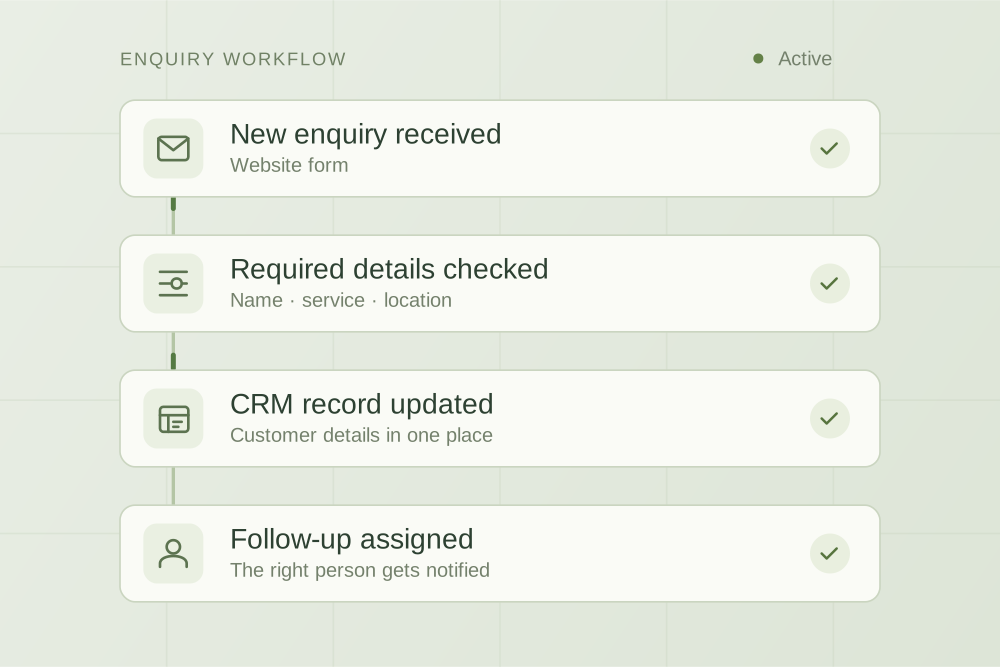
Before you price a person or a piece of software, look at what the work actually is. A one-week log, three questions and a worked example show which tasks need a process fix, an automation or a person.
The short answer
Fix the process first if the work is messy, inconsistent or keeps coming back for rework. Automate the parts that are stable, repeated often and follow clear rules. Hire when the work needs judgement, relationships or someone on site, or when there is simply more good work than your team can handle. Most small businesses end up with a mix: tidy the process, let software handle the repetitive middle, and give a person the exceptions.
The question usually turns up as a feeling rather than a plan. The owner is doing admin at night, the inbox is behind, and someone says “we need to hire” while someone else says “can’t we just automate it?” Both might be right, and both can be expensive mistakes if you skip the step in between: looking at what the work actually is.
Start with one week of real work
Before you price a person or a piece of software, write down the recurring admin for one normal week. Not what the job description says, but what actually happened. It takes a few minutes a day and it changes the conversation, because “admin” turns out to be five or six different jobs with very different answers.
| Task | How often | Time each week | Where it starts | Same steps each time? | Needs judgement or a conversation? |
|---|---|---|---|---|---|
| Example: send invoice after a job | About 20 a week | 3 hours | Job marked complete | Yes | Rarely |
| Example: answer phone enquiries | Daily | 4 hours | Customer calls | No | Yes, most calls |
Add a column for rework if you can: how often a task had to be redone, chased or corrected. Rework is the clearest sign that the process, not the workload, is the problem.
Three questions that sort most tasks
- Does the task follow the same steps every time? If two people do it differently, or the steps depend on who asked, it is not ready to automate.
- Does it need judgement, a relationship or a physical presence? Calming an unhappy customer, pricing an unusual job or checking a site are human work. Software can prepare, remind and draft, but a person should decide.
- Is the volume steady, growing or occasional? A task that happens twice a month rarely justifies a build. A task that happens forty times a week and keeps growing might justify either a system or a person.
| What you see | Likely answer | Why |
|---|---|---|
| Work is redone, chased or done differently by each person | Fix the process | Automating it would repeat the inconsistency, only faster |
| Information arrives incomplete, so someone has to chase it | Fix the process | A better form or checklist often removes the chasing altogether |
| Same steps every time, high volume, digital inputs | Automate | Rules are clear and mistakes are easy to spot |
| Your existing software has a feature you are not using | Configure what you have | Cheapest option; check before buying anything new |
| Needs judgement, phone calls, negotiation or site visits | Hire | Software can support this work but should not own it |
| Steady demand for more work than the team can do well | Hire, then automate the repetitive parts of the new role | Capacity is the constraint, not efficiency |
When fixing the process is the answer
A lot of “we need more help” is really “we keep doing the same work twice”. Common signs:
- Quotes go out on different templates depending on who wrote them.
- Enquiries arrive without the details needed to respond, so every one starts with a round of questions.
- Nobody owns a task, so it waits until someone notices.
- Steps live in one person’s head and stop when they are away.
This is an old lesson. In a 1990 Harvard Business Review article, Michael Hammer warned that companies leave existing processes intact and “use computers simply to speed them up”. His advice: “stop paving the cow paths.” Australia’s National AI Centre makes the same point for small businesses today: “Sometimes a better process or a technology you already have will do the job.”
The fixes are usually unglamorous: one template, a form with the right required fields, a named owner for each type of work, and a short written procedure. None of that needs new software. It also makes every later option cheaper. A new hire learns a defined process faster, and an automation built on a stable process has fewer exceptions to handle.
If enquiries are part of the mess, our 15-minute enquiry delivery test is a quick way to find where they are getting lost before you change anything.
When automation is the answer
Automation works best on work that is boring in a good way: the same trigger, the same steps and a predictable result. Sending an invoice when a job is marked complete, reminding a customer about an overdue payment, copying an enquiry into your job system, or sending a document checklist are all good candidates.
Look at the software you already pay for first. Accounting, job management and booking tools often include reminders, templates and simple rules that nobody switched on. Turning on an existing feature is usually cheaper and easier to support than building something new.
AI tools add a middle option: drafting a reply, summarising a long email thread or pulling key details out of a document, with a person checking the result. That can save real time, but the checking time is part of the cost. Our guide to checking AI-drafted customer replies covers what to look for.
Be wary of automating when:
- The process changes every few weeks.
- A mistake would be costly or hard to spot, and nobody will check.
- Volume is low enough that a person does it in minutes.
- The real problem is that customers need someone to talk to.
For a structured way to judge whether a task is ready, see the automation readiness checklist. For what setup and running costs look like, see our guide to AI implementation costs in Australia, which includes prices that Australian providers publish.
When hiring is the answer
Some work belongs with a person. Customers who want to talk something through, jobs that need pricing judgement, suppliers who need chasing by phone, and anything involving a site visit are poor fits for software. If the log shows that most of the load is this kind of work, a tool will not fix it.
Hiring is also the right call when the business has more good work than it can do. In that case the constraint is capacity, not efficiency, and the useful question becomes which parts of the new role should be automated from day one so the person spends their time on the work that needs them.
What an employee really costs in Australia
Compare a hire against an automation using the full cost, not just the hourly rate. For a direct employee, include:
- Wages. The national minimum wage is $26.44 an hour from 1 July 2026, but it is a floor. Most admin staff are covered by the Clerks Award, and the right rate depends on the award and classification. Fair Work’s Pay Calculator gives the current figure.
- Super. The super guarantee is 12% of qualifying earnings. From 1 July 2026, under Payday Super, it is paid each payday rather than quarterly, which affects cash flow as well as cost.
- Leave. Full-time and part-time employees get four weeks of paid annual leave and up to ten days of paid sick and carer’s leave a year, pro rata for part-timers. The pay is already in the annual wage, but someone still has to cover the work while they are away.
- Insurance and taxes. Employers must get workers compensation insurance from an authorised insurer, and the rules vary by state and territory. Payroll tax only applies once your total Australian wages pass your state’s tax-free threshold, which many small businesses do not reach. Check your state’s scheme and revenue office for current figures.
- Time to recruit, train and supervise. The first months of any role include your time, and that is the time you were trying to free up.
Casual employment, contractors and virtual assistants have different rules and costs. If you are unsure which applies, Fair Work and the ATO both publish guidance, and an accountant can check your specific situation.
A worked example
Mulga Creek Landscapes is a fictional six-person landscaping business invented for this article. One of the owners spends about 16 hours a week on admin, mostly at night, and the team is debating a part-time hire. Here is what a one-week log might show.
| Task | Hours a week | What the log revealed | Best answer |
|---|---|---|---|
| Writing quotes | 5 | Three different templates; most time spent hunting for prices and photos | Fix the process: one template and a price list |
| Invoicing and payment reminders | 3 | Same steps every time; reminders sent by hand | Automate: switch on the accounting software’s reminders |
| Scheduling crews | 4 | Mostly routine, with frequent weather changes | Mix: a shared calendar, with a person handling changes |
| Phone calls and customer questions | 4 | Needs judgement and a friendly voice | Person |
Suppose the quote template, price list and reminders take the 16 hours down to about 10. The owner keeps a couple of hours of quoting that needs their pricing judgement, which leaves about 8 hours of calls, scheduling changes and invoice checks for someone else.
Now compare two paths. The costs below are illustrative. They use the minimum wage floor to keep the arithmetic simple, while a real admin role would usually be paid at an award rate that can be higher.
| Hire first | Fix and automate first, then hire | |
|---|---|---|
| Hours of paid admin help | 15.2 hours a week (0.4 of a full-time week) | About 8 hours a week, after the fixes |
| Weekly wages at $26.44 an hour | About $402 | About $212 |
| Super at 12% | About $48 | About $25 |
| Yearly wages and super | About $23,400 | About $12,300 |
| Hours actually available, if all annual and sick leave is taken | About 700 a year, so roughly $33 per hour worked | About 368 a year, the same rate per hour |
| Other costs | None extra | Owner time to set up a template, price list and reminders, plus any software plan change |
| What the new person walks into | Three quote templates and manual reminders | A defined process and the work that needs a human |
The second path is cheaper here, but the bigger difference is the last row. A person hired into a messy process spends their first months absorbing it. A person hired after the fixes spends their time on calls, scheduling changes and customers.
The reduction from 16 hours to about 10 is an assumption for the example, not a typical result. The only way to know for your business is to make the fixes and log another week. And freed-up time is not automatically a cash saving: it is only worth what you do with it, whether that is more jobs, faster quotes or an owner who is not working at midnight. As the National AI Centre puts it, “If you want more capacity, know what you want to do with it.”
Mistakes that make the decision expensive
- Automating before the process is agreed. The system ends up encoding one person’s habits, and every exception becomes a support request.
- Hiring someone to absorb the chaos. A new person can cope with a messy process, but they cannot fix it without the authority to change it.
- Comparing a salary with a software subscription. Include setup, checking time, changes and the person who maintains it on one side; include super, leave cover, insurance and supervision on the other.
- Buying a tool to replace a conversation. If customers need reassurance, a faster automated reply will not give it to them.
- Deciding without a baseline. Without the one-week log, you cannot tell whether anything improved.
A one-page worksheet
Copy this into a document and fill it in for each recurring task on your log.
Task: ______
Hours a week: ______ Times a week: ______
Same steps every time? Yes / No / Depends on ______
Rework or chasing in the last week: ______
Needs judgement, a conversation or a site visit? Yes / No
Does our current software already do part of this? ______
Decision: Fix the process / Configure existing software / Automate / Person
What we will measure next week: ______
Where to go next
Start with the log and the process fixes, because they cost little and make every other option clearer. If the worksheet points to automation, the readiness checklist and cost guide will help you scope it. If you would like a second opinion on which tasks are worth automating, that is the kind of workflow automation work AppliedAgents does, and we will tell you when a process fix or a hire is the better answer.
Sources
- Fair Work Ombudsman, Minimum wages
- Fair Work Ombudsman, Clerks – Private Sector Award summary
- Fair Work Ombudsman, Annual leave
- Fair Work Ombudsman, Paid sick and carer’s leave
- Australian Taxation Office, Super guarantee rates
- business.gov.au, Types of business insurance and Payroll tax
- National AI Centre, You’ve got an hour back. Now what? (Lee Hickin, first published 18 September 2026)
- Michael Hammer, Reengineering Work: Don’t Automate, Obliterate, Harvard Business Review, July–August 1990
This article is general information, not employment, tax or legal advice. Wage, super and leave figures were checked on official sites in October 2026 and change over time. Mulga Creek Landscapes and its figures are fictional, created to illustrate the method.

Practical thinking on AI, automation and the work behind a business.